Related Tags
Results for CAD
-
Who Should Take Ownership of PLM?
Historically, the design manager picked the CAD, PDM, and more recently the PLM system. This made sense as the beginnings of PLM came out of engineering and CAD file management. PLM methodology is a process that starts before design, and often the greatest… -
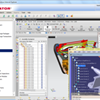
Improve Multi-CAD Management with the Latest Release of Aras PLM
The latest release of Aras Innovator features a series of CAD-focused enhancements enabling Aras to deliver best in class multi-CAD management performance, as well as a bunch of other scalability, performance and usability improvements. “With improved… -
ACE Spotlight: 3D Multi-CAD Converter
Create the EBOM directly from the CAD structure? You bet! ITI TranscenData , an Aras PLM Partner, developed a Pro/ENGINEER (CREO) Connector for Aras . With this direct CAD integration, updating the EBOM is as simple as a few simple clicks. Watch the video… -
PDM Week: PDM Workbench for CATIA V5
By now you've read about our approach to CAD file management and you've seen a multi-CAD Connector in action Today we're taking a closer look at a solution designed specifically for CATIA users. Created by our partner T-Systems International, the CATIA… -
PDM Week: Multi-CAD File Management
Happy Monday! Today is the kick-off of our Product Data Management (PDM) themed week. Now some of you may be scratching your heads right about now and saying, hmmm... isn't Aras a PLM company? Well you are right, but PDM is a big part of what PLM users… -
Catia Users Your PLM Solution Has Arrived
Are you a Catia user? If so, we’ve got the perfect PLM solution for you. Created by our partner T-Systems, CATIA V5 PDM Workbench integrates the CAD data directly into the BOM in Aras. But wait, the connector does so much more by enabling reciprocal data… -

Is Your PDM Too Square for PLM?
Choosing a Product Data Management (PDM) system to do the work of a Product Lifecycle Management (PLM) solution is a surefire way for a project to get stuck. As the name implies, PDM is great for managing engineering product data; however, when it comes… -
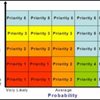
Know Your Requirements and Prioritize
Once you’ve defined your business objectives, work backwards to identify the related processes that will be involved. For example, if achieving faster time to market is your priority, identify all the things that go into the new product development and… -
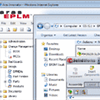
NEW: Aras EPLM for SolidWorks Enterprise PDM
Recently we introduced a new commercial offering designed specifically for companies that run SolidWorks called Aras EPLM for SolidWorks Enterprise PDM . It's built on top of SolidWorks best selling EPDM system to provide packaged functionality out… -

Aras in 2011: Growth & Innovation Around the World
Happy new year to everyone! We’re looking forward to a great 2012, and looking back at 2011 it was another record breaker. In addition to achieving record sales and double digit growth again (that’s 5 years in a row for anyone counting), we increased… -

Why Do Enterprise Organizations Let CAD Vendors Drive Their PLM Selection Process?
In a typical 10,000 person company there are probably 50-100 full-time 3D CAD engineers. So how come these few CAD users and their CAD software vendors so often drive the selection of an enterprise PLM system that will likely touch thousands of users… -
Innovator’s Dilemma and the Next Generation of PLM Software
A few days ago Jim Brown at Tech-Clarity had posted on “the impact of the economy on the engineering software industry?”… This topic is a bit different than the implications for end user customer companies. The emphasis is on the engineering software… -

Enterprise Open Source PLM, How Can This Be Possible?
Over the past couple months Jeff Cope at Extensible CAD Technologies has been doing a detailed product review of the Aras PLM software solution suite for the CAD community site ConnectPress. This is a pretty good overview of the solution functionality… -
CAD documents management without connector
Hi, we have done an Aras installation for demo/ test purposes. So we have the free downloaded version, no connectors. On the side of regular documents, parts, BOM etc. everything goes well. Where I get stuck is uploading/ managing CAD (Inventor) files… -
Get CAD file with REST API
Hi, I try to read my CAD file with REST API like localhost/.../CAD , it return like below. { "@odata.context": "">localhost/.../$metadata, "value": [ { "authoring_tool": "SolidWorks", "classification": "Mechanical/Part", "created_on": "2018-06-13T02… -
Create CAD Document using IOM API
Former Member Hi, How can I create and attach file with a CAD Document through IOM API? Here is the code I am trying to implement. <hr /> // Create the CAd Document item var docItem = MyInnovator.newItem("CAD", "add"); docItem.setProperty("item_number", "CADDoc…
 -
How to View only CAD document instead of downloading it
I am trying to create an CAD document where I attached a CAD file as Viewable file, I want to only show that file to logged in user instead of downloading it, so is there any option, or how we can configure that to view only the CAD File. -
Add Document
Hi everyone…. When i creating a new document or CAD document, Can’t add a file with that document. Help me. -
Add Document
Hi everyone.... When i creating a new document or CAD document, Can't add a file with that document. Help me. -
Add Document
Hello everyone, When i create a new item (Document or CAD Document), Can't add document in Files Tab. If i add document and Click √. It's keep on loading, Not find added document.


