How can I choose a specific Search Mode when opening a Search Dialog via Method?

Hi community,

I use following code to open a classic Part search dialog. 

const param = {
    aras: aras, 
    type: 'SearchDialog',
    dialogWidth: 1200,
	dialogHeight: 500,
    itemtypeName: 'Part',  
    defaultSearchMode: "AML",  // ??????
};

const topWnd = aras.getMostTopWindowWithAras();
topWnd.ArasModules.MaximazableDialog.show('iframe', param).promise.then(callback);

Is it possible to pre-select the used search mode?
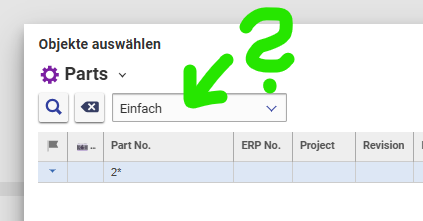
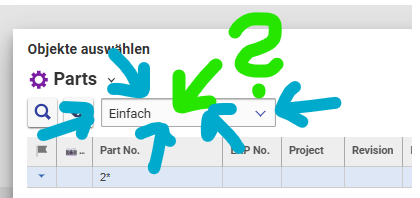
Typically the "Simple" (Einfach) search mode is preselected. I have an additional custom search mode that is similar to Simple, but allows users to search for all generations of a Part.

In my use case user shall be able to search and select previous Part versions. So it would be convenient if my custom search mode would be selected automatically when the search dialog is opened. 

I guess this is currently not possible. But maybe somebody has an idea?

Thanks!

Angela

Parents Reply Children
  • Thanks for your fast help! I have to admit, you answered my question very accurate and precisely! Unfortunately, my screenshot was a bit misleading. Here's what I'm was actually looking for:

    I don´t think it´s possible to pre-select the search mode in the dropdown. But - good news: I think it was a bad idea from the start and I currently don´t need a solution anymore!

    The use case was related to a custom change management process. For a very specific scenario users should select only previous item revisions.

    But now I will just start from the latest item and than automatically collect previous versions and let user decide if they want to do an update/float of the items. There are more than one previous item versions anyway.

    The whole idea is related to this post to achieve a controlled float behavior:  How can I control/track floating behavior of Parts?