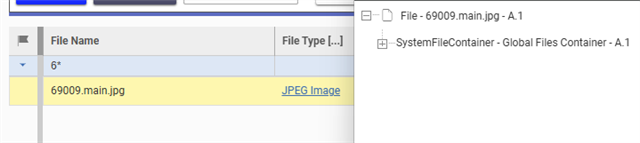
Any best practice tips to clean up orphaned files in the Global Files Container?

Hi community,

on a regular basic I clean up orphaned files. Typically these are files that were used in a relationship or file property item.

But we have another type of files -> images and thumbnails. If thumbnails are not referenced any more, they are not marked as orphaned. They stay in the Global Files Container. We cannot use the locator to check if the files are still used.

What is the best way to get and overview of these files? 

I am already able to find orphaned thumbnails of Parts via SQL.

But I noticed that it´s dangerous to only check the "Part" Item Type. The "Image" property is used more than 30 ItemTypes. Just because my orphaned image isn´t use in a Part, doesn´t mean it isn´t use in a mpp_Tool

So I wonder if my current approach to get the files via SQL is really the best approach.

Does anyone have a better idea?

Angela

Parents
  • Hi Suhas,

    thanks for the input!

    The "Delete.Orphaned.Files" Variable unfortunately doesn´t seem to work for files in the "Global Files Container" like thumbnails.

    As mentioned in the description, the Variable only applies to files in the Orphaned Files Container (=related files).

    That´s why deleting thumbnails is a super dangerous task in general. You can just go to the "Files" ItemType and delete them. BUT: You will never get any warning when they are still used somewhere. They aren´t tracked by the file locator at all.

    So the only solution I found right now is to look actively for references by SQL.

Reply
  • Hi Suhas,

    thanks for the input!

    The "Delete.Orphaned.Files" Variable unfortunately doesn´t seem to work for files in the "Global Files Container" like thumbnails.

    As mentioned in the description, the Variable only applies to files in the Orphaned Files Container (=related files).

    That´s why deleting thumbnails is a super dangerous task in general. You can just go to the "Files" ItemType and delete them. BUT: You will never get any warning when they are still used somewhere. They aren´t tracked by the file locator at all.

    So the only solution I found right now is to look actively for references by SQL.

Children