
We have found a strange issue with the tool. We have found nothing in the available installation guides and support forums, and we would be very grateful if you could help us figure out the underlying issue here.
We have an installation of Aras Innovator 2024 (2024 Release Build 14.0.25.40942) that was working for a while, but last week, it started to throw error messages whenever we open any table view (e.g. the Requirement table), or we use any user interface feature related to this view, e.g., change pagination size, select a requirement, etc.
In each case, the error message relates to the favoriteLayoutData settings being not found. More specifically, the following message was emitted:
> The method 'cui_common_layouts_init' failed. favoriteLayoutData.settings is undefined Client Side Error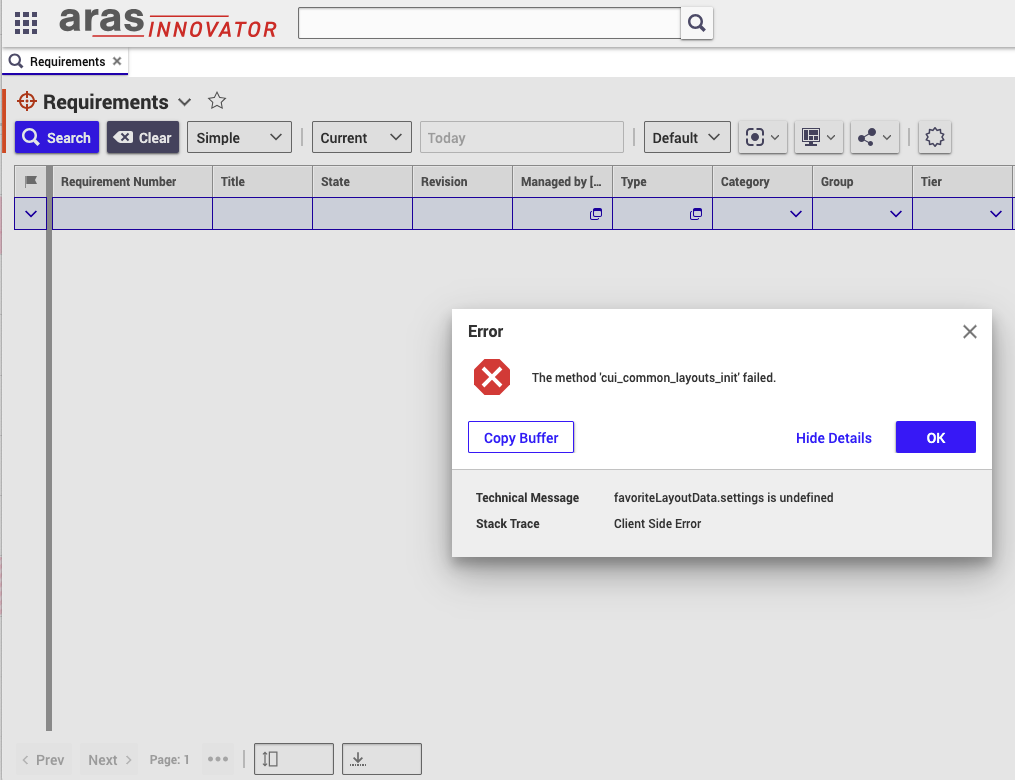
We have tried to reset the user preferences and try it out with another user, different browsers, and cleaning up locally stored cookies, but the issue persisted. We have also checked the server logs but have not found anything that might be helpful.
The issue breaks the user interface quite severely, making it basically unusable, but have no idea where to look for possible causes.


