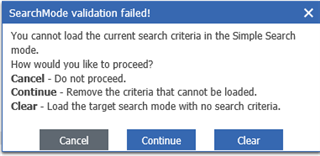
SearchMode Validation failed

オフライン

Hi Experts!,

Please help me resolve the below issue in PLM 11ver, sp9.

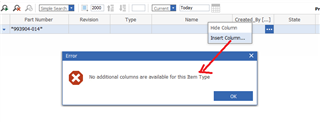
Am trying to search some documents and getting the below warning message. my default search is set to simple search mode. And it works fine for other searches such as parts, cad's so on. But for only one type of items are not searchable. I tried this is in different browsers but no luck. Also tried cancel/continue and clear options as shown in that dialog and nothing worked for me. 

Can any one explain me why such message is shown and how to fix that. 
Thanks for your help

Bala.

Top Replies

Parents
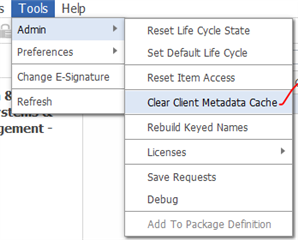
  • Can you confirm what are the search criteria used in this search ? This might happen when you try to convert the advanced search to Simple Search. Try clearing the Cache in Admin action menu.

    Thanks 

    Gopikrishnan R

  • 0 オフライン in reply to Gopikrishnan

    Hi Gopi,

    Hope you doing well and thanks for the quick response.

    Am not sure how to check the search criteria for particular item type search.

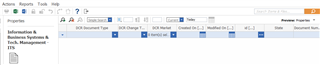
    below is the search page i see when i click on the item type

    Currently it shows simple search only but how and when it was set for advanced search is not known. 

    Clearing cache means are you talking about the clear client metadata cache or something else

    Can you please give me the clear steps to check the search criteria and clearing them.

    Thanks for your help!

Reply
  • 0 オフライン in reply to Gopikrishnan

    Hi Gopi,

    Hope you doing well and thanks for the quick response.

    Am not sure how to check the search criteria for particular item type search.

    below is the search page i see when i click on the item type

    Currently it shows simple search only but how and when it was set for advanced search is not known. 

    Clearing cache means are you talking about the clear client metadata cache or something else

    Can you please give me the clear steps to check the search criteria and clearing them.

    Thanks for your help!

Children