How to export TOC with Sort = CUSTOM

Hello,

I'm able to export my TOC correctly with Sort = "alphebatical".


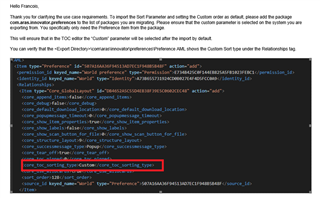
But I don't find which object I need to export to have my new TOC with sort = "Custom".
I tought it was included in com.aras.innovator.cui_default.toc.xml....but No !

Which one is it ?

Thanks
Parents
  • Hi Breton,

    com.aras.innovator.cui_default.toc is just the replacement of the "Categories" List from I12 and I11. 

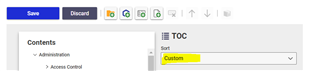
    There is not special saving location. The "custom" mode is just a trick. By default Innovator sorts alphabetical. If custom is enabled, Innovator sorts by the sort_order used for the CommandBarItem in the corresponding TOC-CommandBarSections. So as soon you export your CUI items, you automatically rebuild the "Custom" sorting.

    This is stuff you learn, when building your own self-update concept Sunglasses (But answer can be wrong anyway, cause I so far haven´t imported/exported the TOC. Let me know if it makes sense....)

    Angela

  • Hello, thank you for your answer. :-)

    But, when I install a new platform (example: OPER), I have to MANUALLY adjust the Custom parameter in the TOC management to have the correct order.

    Is it possible to have the correct sort without manually updating the parameter after deployment?
    THANKS

    FB

Reply Children