Applying backgroundColor property in a form

Hello, I'm trying to change the background color of a form. It seems simple, but no!!

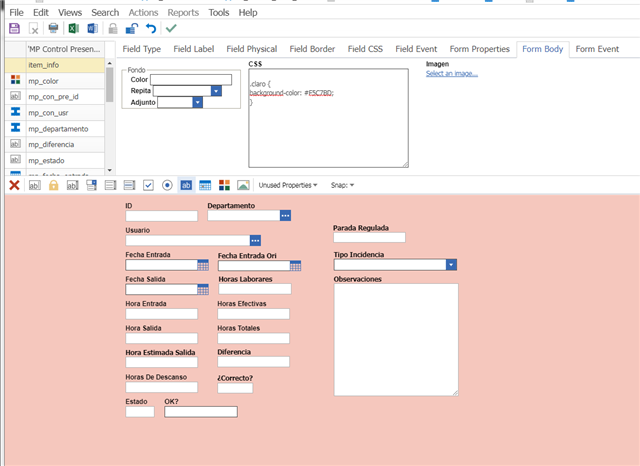
I have tried several methods but none of them work for me, it does not change the background color of the bodysuit, but rather what is behind it.

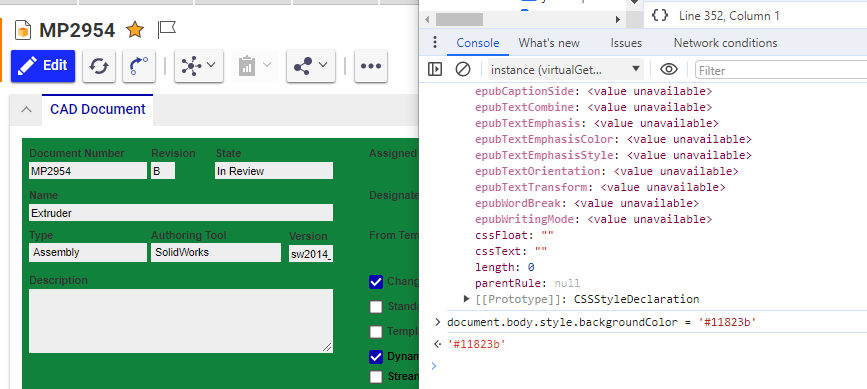
With the debugger I have seen that there is the "body" and the "claro" class, but I cannot change the color of "claro", only the body that is behind "claro".


var cualColor = 5; // Por probar un valor
var elementoConClaseClaro = document.querySelector('.claro');

// Verificar si se encontró un elemento con la clase .claro
if (elementoConClaseClaro) {
  if (cualColor === 5) {
    elementoConClaseClaro.style.backgroundColor = "red";
  } else if (cualColor === 10) {
    elementoConClaseClaro.style.backgroundColor = "blue";
  }
}

I have tried with:

- var body = document.querySelector('.clear');
- var body = document.body;
- var body = document.getElementById("clear");

and some more, but nothing.

I have noticed that it works, but it changes the color of the background, you can see it by a thin line at the bottom.

Esto veo en el debugger:

Too many thanks!!!

Parents
  • Hello,

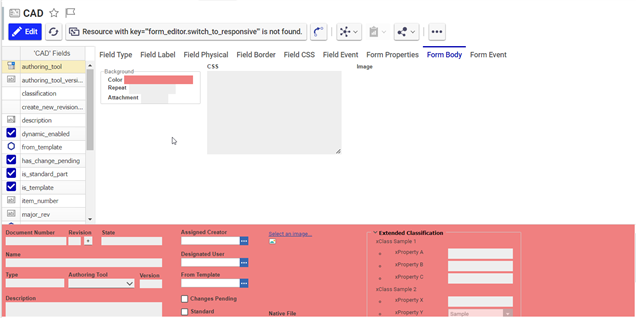
    Have you tried utilizing the background color property on the item form itself? It can be found under the Form Body section of the form editor:

  • 0 オフライン in reply to AJ Sebastian

    Yes, I know that method, what happens is that when the form is opened, depending on the value of the OF (Manufacturing Order) status, it should take on one color or another. That's why I have to do it by code.

    I have also tried to do it by code from the CSS of the "Form Body" and it works, but I have never tried to mix CSS with AML, I would have to take the value of the State field and depending on what it has, show one color or another.

    That's why I decided to create a method, but I don't know how to take and assign "body.claro" to the variable and use: elementConClaseClara.style.backgroundColor = "red";

    Thank you.

    Greetings.

Reply
  • 0 オフライン in reply to AJ Sebastian

    Yes, I know that method, what happens is that when the form is opened, depending on the value of the OF (Manufacturing Order) status, it should take on one color or another. That's why I have to do it by code.

    I have also tried to do it by code from the CSS of the "Form Body" and it works, but I have never tried to mix CSS with AML, I would have to take the value of the State field and depending on what it has, show one color or another.

    That's why I decided to create a method, but I don't know how to take and assign "body.claro" to the variable and use: elementConClaseClara.style.backgroundColor = "red";

    Thank you.

    Greetings.

Children