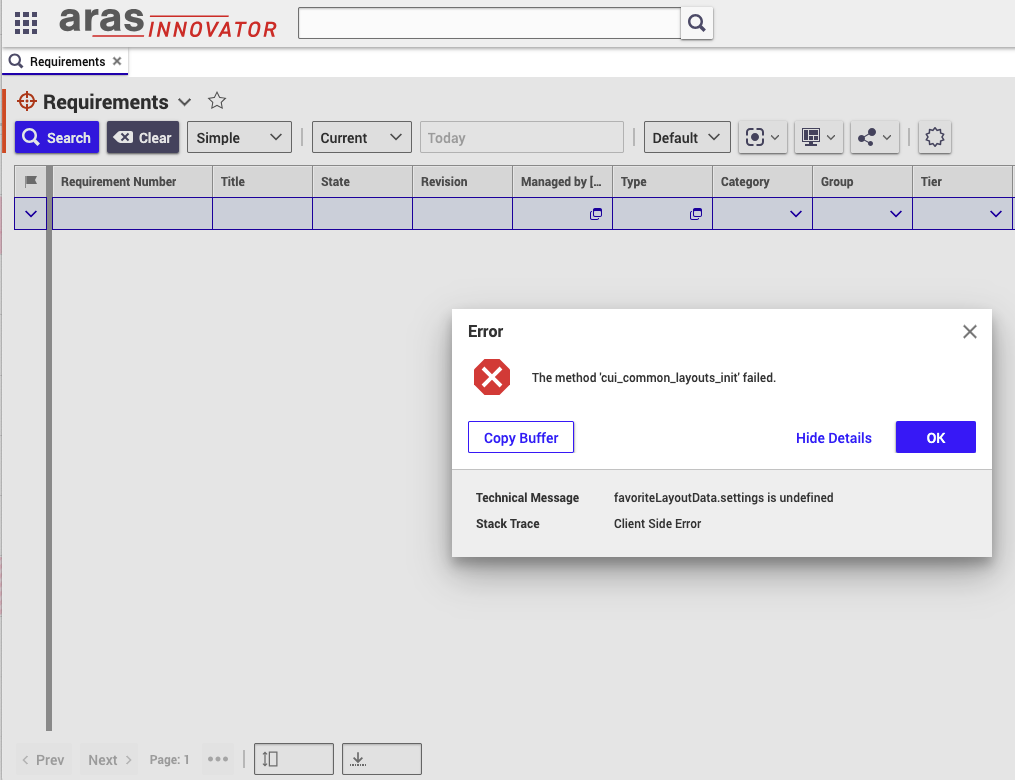
Do you get only this error message or multiple ones?
Do you get the error message for other ItemTypes too, like Part?
Have you modified anything CUI related?
In general it´s a client side issue, you can also check the browser debugger for any potential additional hitns.
Innovator renders the view (buttons, table, etc.), one element fails which can lead to a cascade of error messages. According to your error message there might be a problem with the favorites. Do you use custom saved searches or favorites?
> Do you get only this error message or multiple ones?
At any given time, we received a single message like this, but we received the message again if we clicked on basically anything in the table view.
> Do you get the error message for other ItemTypes too, like Part?
The same happens with all CUI tables.
> Have you modified anything CUI related?
I don't think so. We are evaluating the capabilities of Aras and filled a few requirements with the API, but did not alter the default settings (as far as I know).
> In general it´s a client side issue, you can also check the browser debugger for any potential additional hitns.
We tried this, but don't have any context information to make this cost-effective. Any hints about what to watch for would be greatly appreciated.
> Innovator renders the view (buttons, table, etc.), one element fails which can lead to a cascade of error messages. According to your error message there might be a problem with the favorites. Do you use custom saved searches or favorites?
I have initialized a new favorite configuration without any real, but it was removed later as we have seen it is not what we were looking for at the time, while the issue persisted.
Did you try to use Aras in an inkognito window so definitely no cache data is reused?
Pagination is the page numbering at the bottom. But I am currently running out of ideas too.
Christopher Gillis AJ Sebastian Do you have some ideas what could be wrong?
Yes, I have tried incognito mode and the colleague I was asking has never used this instance before to avoid any potential caching issues.
I am able to reproduce the error message when I damage the Method cui_common_layouts_init intentionally (e.g. bei removing lines that have to do with "options". This of course doesn´t help your problem.
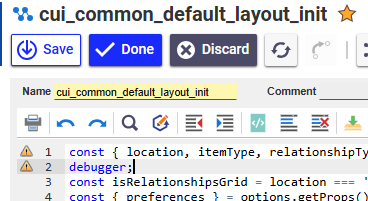
You could try to add a "debugger" statement to the Method.

You might get error messages when editing this one, but just restart Aras after.
Then open the browser console F12 before opening any search grid. Then open the search grid. You should see the code in the browser debugger. You can step through the code. Maybe you can determine the line in the code where the method fails.
@Community: Does somebody else has a better idea?
I did a quick search on reported bugs. It doesn't seem like it's exactly this issue, but sometimes a misconfigured oauthserver/oauth.config has caused this error to occur in previous versions. Take a look at that file and make sure that the below entries exist in your clientRegistries.
<clientRegistry id="InnovatorClientServer" enabled="true"> <secrets> <secret type="JwtBearerAssertionServerSecret"> <certificate filePath="App_Data/Certificates/InnovatorClientServer.cer"></certificate> </secret> </secrets> <allowedScopes> <scope name="Innovator"></scope> </allowedScopes> <allowedGrantTypes> <grantType name="impersonate"></grantType> </allowedGrantTypes> <tokenLifetime accessTokenLifetime="3600"></tokenLifetime> </clientRegistry> <clientRegistry id="ConversionServer" enabled="true"> <secrets> <secret type="JwtBearerAssertionServerSecret"> <certificate filePath="App_Data/Certificates/ConversionServer.cer"></certificate> </secret> </secrets> <allowedScopes> <scope name="Innovator"></scope> </allowedScopes> <allowedGrantTypes> <grantType name="impersonate"></grantType> </allowedGrantTypes> <tokenLifetime accessTokenLifetime="3600"></tokenLifetime> </clientRegistry>
It's very possible this isn't the issue, but figured it's worth checking.
I have checked the config file, and it contains these two clientRegistry entries as is (and has other ones as well). The only thing I have changed in this file is extend the list allowed redirectUris related to our infrastructure.
In your first post you said it worked for a while. How long is "for a while"? The oauth.config mentions certificates. Innovator certs can expire (but you would get different error messages). Expiring certificates definitely can make trouble, but they lead to totally different error messages. Release 2024 isn´t even old enough to be affected.
Other general ideas of low chance of being any help:
- Do you use browser extension that block JS?
- Are the browser more or less up-to-date (old browsers would have trouble with certain JS code).
For a few months after installation, it stopped working. I found an issue related to default layouts that fixed it for about a week; since then, it has been broken. We have no idea what went wrong.
I tried to turn off all browser extensions to avoid issues, and I was using multiple, up-to-date browsers, e.g., the latest Chrome, the latest Firefox, and the latest Firefox ESR, and the problem persisted in all of them (in the case of Chrome, the error message was worded a bit differently, but it was basically the same).
Which identity / user do you use for your tests?
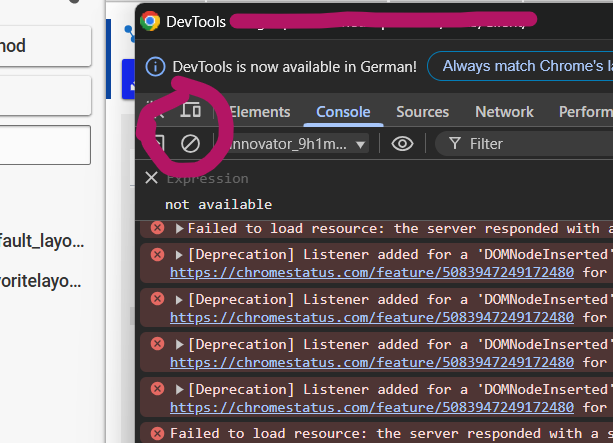
Is there really nothing in the browser console?
In this debugging view, erase all existing notifications so you have a clean view to start with. Then leave the window open and open your search grid. Maybe you get something:

Sorry for the slow response here, I did not receive a notifiation of this comment. I looked at the console as you have mentioned, and I did not seem anything that seems relevant to me, but I am pasting the results in (with anonimizing the server ip address from the logs):
Unfortunately, I don't see anything useful there either.
I notice X-salt=std which tells me that you never intentionally modified the codetree. Incognito mode would by pass the cache value anyway.
Is it possible that somebody played around with the codetree files in the installation folder?
Unfortunately, I don't see anything useful there either.
I notice X-salt=std which tells me that you never intentionally modified the codetree. Incognito mode would by pass the cache value anyway.
Is it possible that somebody played around with the codetree files in the installation folder?
I don't think so, especially that I have replaced the entire codetree when reinstalling Innovator. The files should be as the installer created them.
"Reinstalling" would have been my next tip....
I see that there are already two people who clicked the "I have this question too" button. This is unusual for the short amount of time this thread exists.
Have you seen the same issue in Release 2024 or similar? Even if you cannot provide a solution, it would be great if you can give us some short feedback if you are already familiar with this bug.
I just hope Aras hasn´t introduced some kind of of EOL mechanic to Release 2024 from the start.
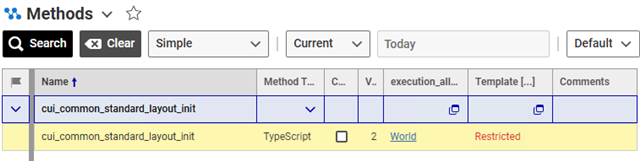
I'm facing that issue too. One thing to check: some methods (in Aras32 at least) have Templates, and they are missing for me; it seems that this is what causes the issue:
I used Release 2023 for my tests, in this version the templates aren´t used yet. I my current environment I cannot test current I14 versions and I refuse to install Release 2024.
BUT: I used my connections to ask them if there are any hotfixes on the FTP. And there are!
Hotfix-064888.25.zip for Release 31 fixes "cui_common_default_layout_init"
Description:
I-064888
The Error dialog is displayed in the Search Tab after updating the ItemType with saved preferences
Can somebody check?
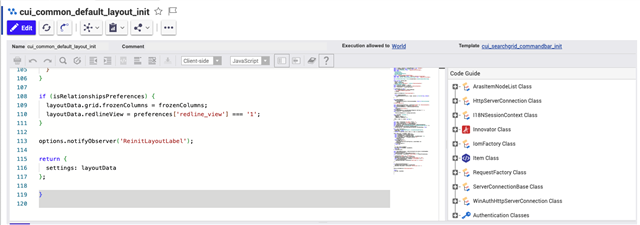
zujhelyi How many lines does the "cui_common_default_layout_init" has in your instance? Around 98? The patched version has ~133.
Release 2024 is based on Release 31. In this case patch might help with your problem.
AJ Sebastian Hotfixes are classified as subscription material. Is there a way that Aras can provide the patch? Release 2024 is intended for testing. I assume it is also in Aras' interest that potential new users can focus on real testing and don´t have deal with these unexpected issues.
In general:
- Release 32 seems to use the patch
- Release 33 and 34 use the patch + some additional minor fixes!
Hi All,
I've just confirmed that we'll be posting the hotfix for open users in the next few days. I'm not exactly sure where it will live at the moment but I'll respond to this thread with a link as soon as it's avaiable.
AJ
In my case, the method has around 120 lines, as in the following screenshot:
I am not sure about the length, but your version doesn´t seem to use the patch.
Let´s what for the patch next week. Thanks AJ for the fast help!
Hi AngelaIp , sorry for late response. I am using Aras version 12 and 32 but I am not aware of that above error and I have not faced what zujhely is facing. You have described very well as I was going through all the threads. Many Many Thanks..
Copyright © 2025 Aras. All rights reserved.